Whales: Giants of the Ocean

Whales: Giants of the Ocean

Whales are among the largest and most remarkable animals on Earth. These marine mammals live in oceans around the world, from warm tropical waters to the cold seas surrounding the poles.

Life Beneath the Surface

Although whales spend their lives in water, they breathe air through blowholes located on top of their heads. They must regularly return to the surface to breathe before diving again in search of food or traveling through the ocean.

Whales are warm-blooded, give birth to live young, and nurse their calves with milk. A thick layer of fat called blubber helps protect them from cold water and stores energy during long migrations.

Two Main Groups

Whales are generally divided into baleen whales and toothed whales. Baleen whales filter small animals from the water using flexible plates inside their mouths. This group includes blue whales, humpback whales, and gray whales.

Toothed whales use teeth to catch fish, squid, and other prey. Many of them also use echolocation, producing sounds and listening for returning echoes to understand their surroundings. Sperm whales, belugas, and orcas belong to this group.

The Blue Whale

The blue whale is the largest known animal to have ever lived. An adult can grow longer than a city bus and weigh well over one hundred tonnes. Despite its enormous size, it feeds mainly on tiny crustaceans called krill.

Communication and Migration

Whales communicate using clicks, whistles, pulses, and complex songs. Some sounds can travel across great distances underwater. Humpback whales are especially famous for their long, patterned songs.

Many species migrate thousands of kilometres each year. They often feed in cold, nutrient-rich waters before traveling to warmer regions where they mate and give birth.

Protecting Whales

Commercial hunting once caused severe declines in many whale populations. Today, whales also face threats from fishing gear, ship collisions, underwater noise, pollution, and changes to ocean ecosystems.

Conservation programs, safer fishing practices, protected habitats, and international cooperation can help whale populations recover. Protecting whales also supports healthier oceans because these animals play an important role in marine food webs and nutrient cycles.

Open Mat Schedule – Virginia Beach, VA BJJ Gyms

I hope to keep this up to date as much as possible, if you see any issues or want to add more information, send me a message here: Contact.

Schedules

  • Monday
    • virginiabeachjiujitsu.com/schedule – 4 pm – 5 pm
  • Tuesday
    • coastalbjj.com/schedule – 7:15 pm-8:45 pm
  • Wednesday
    • virginiabeachjiujitsu.com/schedule – 12:00 pm – 2 pm
  • Thursday
    • tidewaterbjj.com/copy-of-chesapeake – Open Drilling – 6:30 pm – 8 pm
    • coastalbjj.com/schedule – 7:15 pm-8:45 pm
  • Friday
    • virginiabeachjiujitsu.com/schedule – 11 am – 12 pm – Drills
    • virginiabeachjiujitsu.com/schedule – 12pm – 1 pm – Open Mat
    • diegobispoacademy.com/schedule/ – 7pm pm – 8 pm – Marathon Roll
  • Saturday
    • tidewaterbjj.com/copy-of-chesapeake – 9:30 am – 11 am
    • virginiabeachjiujitsu.com/schedule – 10:00 am – 12 pm
    • impact-athletes.com/schedule/ – 11:30 am – 1 pm
    • gustavomachado.com/schedule – 12:00 pm – 1:30 pm
  • Sunday
    • diegobispoacademy.com/schedule/ – 2 pm – 4 pm
    • tidewaterbjj.com/copy-of-chesapeake – 10:30 am – 12 pm

Open Mat Schedule – Richmond, VA BJJ Gyms

Finding the open mat schedule in Richmond, VA for BJJ has been difficult. Here is my list.

I hope to keep this up to date as much as possible, if you see any issues or want to add more information, send me a message here: Contact.

Schedules (Gym Information and visitor notes below)

  • Monday
    • Mongrel – 7:30 am – 8:00
  • Tuesday
    • Mongrel – 5:00 pm – 530
  • Wednesday
    • Revolution Ashland – 1:00 pm – 2:00
  • Thursday
    • I am not aware of any open mats
  • Friday
    • Upstream – Open Marathon Roll – 6:00 pm – 7:00 – 10×5 minute rounds. alternates gi and no gi each week
  • Saturday
    • Top Game – 11:00 am – 12:30 – Gi or No-Gi
    • Revolution Ashland – 11:00 am – 12:30
    • Upstream – 1:15 pm – 2:30
  • Sunday
    • Mongrel – Open – 10:00 am -12:00
    • MMA Institute – Open Mat – 11:00 am – 1:00
    • Revolution Staples Mill – 1:00 pm – 3:00

Gym Information

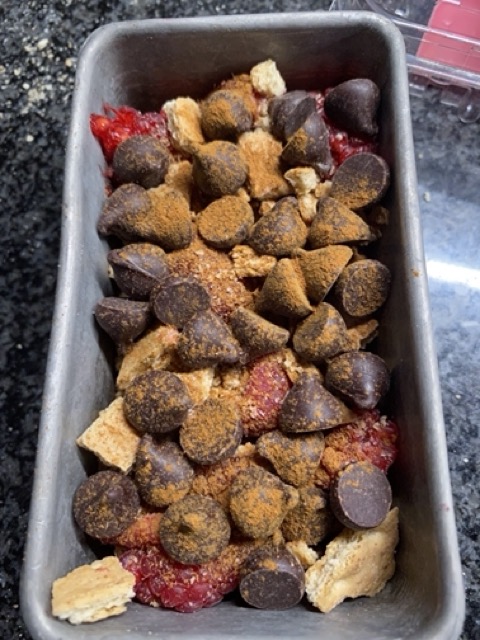
Best Boozy S’mores Dip Flambé – 2 Options Classic and Fancy

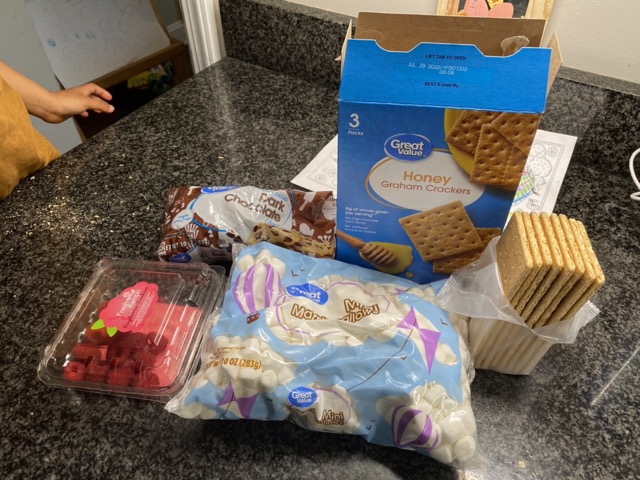
Ingredients / Supplies:

  • Booze:
    • Rum or Spiced Rum
  • Scoopers:
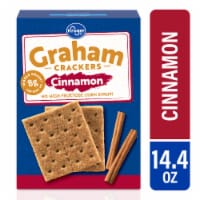
    • Graham crackers (cinnamon option)
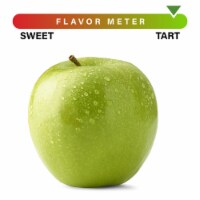
    • Granny Smith Apple
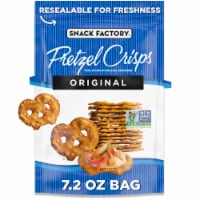
    • Pretzel Crisps
  • Pan:
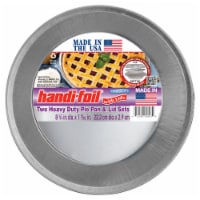
    • Heavy-Duty Foil Pie Pan
    • Pre-made Graham Cracker Crust Pie Crust
  • Dip #1 – The Original:
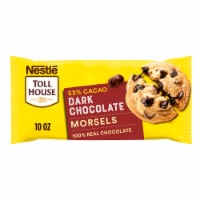
    • Dark Chocolate Chips
    • Broken-up Graham Crackers
    • Marshmallows
  • Dip #2 – Fancy (on the pre-made Graham cracker crust):
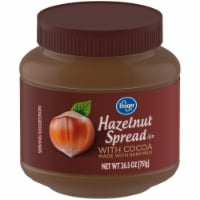
    • Nutella
    • Raspberries
    • Dark Chocolate Chips
    • Marshmallows
  • Share-A-Cart Link

Prep (this can be done the day before):

  • Cut Apples into nice slices for dipping
  • Break Graham Crackers into nice dipping size
  • Assemble Dips
    • Add ingredients in order
    • Marshmallows must be on top
  • Cover dips with plastic wrap if doing it the day before

Cook:

  • Warm up the cup with alcohol (3 shots) (don’t light it on fire yet)
    • The rum will light on fire easier when not cold. (don’t light it on fire yet)
  • Place pans near fire and get an even melt / warm up
  • The Fancy dip may need to be a bit lower and slower since it has a crust
  • Once the dip seems to be dippable, Flambé!

Flambé:

  • Make sure it’s dark outside, you don’t want to ruin the effect!
  • Warm up the cup with alcohol–(see previous step)
  • When everything is ready
  • In the cup, light the rum on fire
  • Pour slowly over both pans
  • Watch as the marshmallows get nice and browned. 

Enjoy

Use the dipping foods to get your scoop on!!

Ingredient Photos:

Nestle® Toll House® Dark Chocolate ChipsQuantity:1

Kroger® Graham Cracker Pie CrustQuantity:1

Kroger® MarshmallowsQuantity:1

Kroger® Hazelnut Spread with CocoaQuantity:1

Snack Factory Pretzel Crisps Original Deli Style CrackersQuantity:1

Handi-foil® Heavy Duty Pie Pan & Lid SetsQuantity:1

Large Granny Smith AppleQuantity:1

RaspberriesQuantity:1

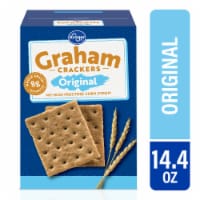
Kroger® Original Graham CrackersQuantity:1

Kroger® Cinnamon Graham Crackers

Play – Funny Face DOS Game – Remade in Scratch Web Game

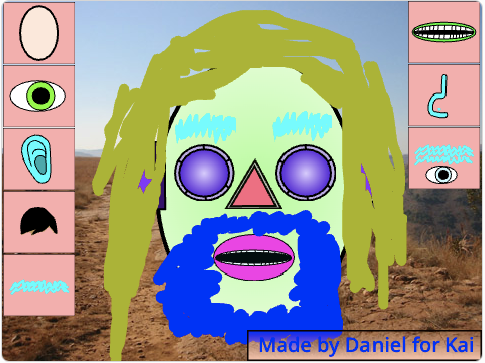
I remade the Funny Face DOS game in Scratch with my son. It is an avatar creator type game. Pretty janky!

We had fun working on the sounds and different colors.

  • Click the buttons around the outside to change the body part
  • Click inside the image to change the colors

https://scratch.mit.edu/projects/564047080/

Find a band’s musical influences using Python – Pearl Jam and Dr. Dre

I created a fun little program that will go and find the musical influences of any artist. It uses the Spotify APIs and a bit of logic.

The logic works like this:

  1. Find the artist on Spotify
  2. Go and find the earliest album that artist made.
  3. Get the related artists and their first album date
  4. Pick the related artist that has the closest album to 2 years before the original artist
  5. Start back up with #3
  6. Repeat until there are no artists left. Or until the program goes way off the rails.

Note: If there are no related artists with albums older than the oldest it will go back up the chain and try and find another route.

Source Code is on Github here.

Example #1 – Pearl Jam

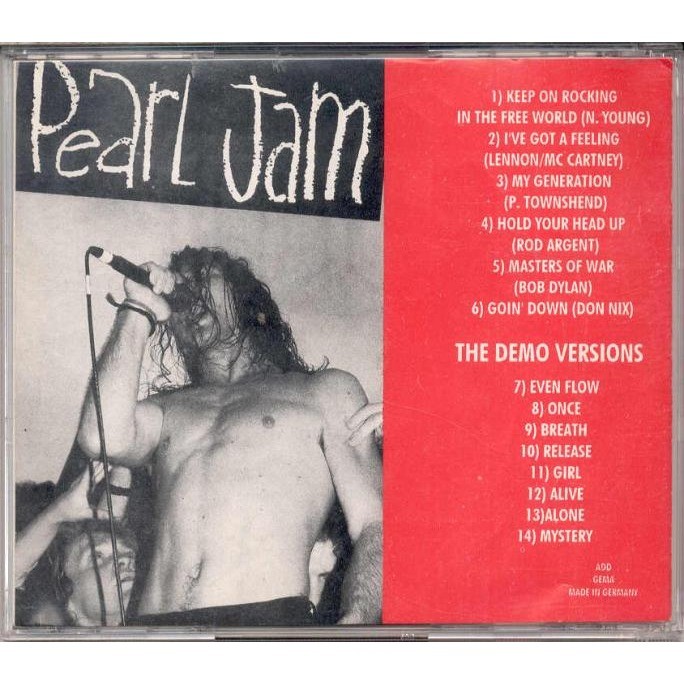
Peal Jam Demo Mookie
This has some pretty great results. Starting with Pearl Jam’s first album Ten (1991), It goes all the way back to 1953 with decent results like Wire – Pink Flag, The Yardbirds – London 1963.
Continue reading “Find a band’s musical influences using Python – Pearl Jam and Dr. Dre”

Python: Pickle and Unpickle Tree Classifier with Hashing Vectorizer


Warning: WP_Syntax::substituteToken(): Argument #1 ($match) must be passed by reference, value given in /home/www/danfolkes.com/wp-content/plugins/wp-syntax/wp-syntax.php on line 383

Warning: WP_Syntax::substituteToken(): Argument #1 ($match) must be passed by reference, value given in /home/www/danfolkes.com/wp-content/plugins/wp-syntax/wp-syntax.php on line 383

Warning: WP_Syntax::substituteToken(): Argument #1 ($match) must be passed by reference, value given in /home/www/danfolkes.com/wp-content/plugins/wp-syntax/wp-syntax.php on line 383

Warning: WP_Syntax::substituteToken(): Argument #1 ($match) must be passed by reference, value given in /home/www/danfolkes.com/wp-content/plugins/wp-syntax/wp-syntax.php on line 383

Warning: WP_Syntax::substituteToken(): Argument #1 ($match) must be passed by reference, value given in /home/www/danfolkes.com/wp-content/plugins/wp-syntax/wp-syntax.php on line 383

Warning: WP_Syntax::substituteToken(): Argument #1 ($match) must be passed by reference, value given in /home/www/danfolkes.com/wp-content/plugins/wp-syntax/wp-syntax.php on line 383

pickle and python

I took this piece of code out of a project I am working on. I wanted to guess the tag based on keywords in the body of text. So, I take the text, apply a hash vectorizer and then pass the hashed values into a AdaBoostClassifier that uses DecisionTreeClassifier. I wanted to build it once and use it over and over again, so I used Pickle to save it on the file system to reuse.

This code assumes you have a dataframe populated already.

Includes:

from sklearn.feature_extraction.text import CountVectorizer
from sklearn.feature_extraction.text import HashingVectorizer
import pandas as pd
from sklearn.cross_validation import train_test_split
from sklearn.tree import DecisionTreeClassifier
from sklearn.ensemble import AdaBoostClassifier
import pickle
import os.path

Setting up filesystem and parameters stuff:

resetPickle = False
foundPickle = False
"""This is where you would load the dataset"""
df_tags = pd.DataFrame()
pick_model_path1='pickles/modelAdaDecTreeClassifier.pickle'
pick_model_tags_root_pre = 'pickles/model_tag_'
pick_model_tags_root_post = '_DecTreeClassifier.pickle'
tag_pickle_path = pick_model_tags_root_pre + 'PIC' + pick_model_tags_root_post

Create HashingVectorizer. The ngrams 1,2 means that it will use words like “Richmond” and “Richmond VA” as tokens:

vctrizr_tag = HashingVectorizer(ngram_range=(1, 2))

This will check to see if the pickle exists. It will load it into the model if it exists:

if resetPickle == False and os.path.isfile(tag_pickle_path):
    pickle_in = open(tag_pickle_path,'rb')
    model_tag = pickle.load(pickle_in)
    foundPickle = True

If the pickle does not exist, it will go and train the AdaBoostClassifier and save it into the pickle:

if foundPickle == False:
    y_tag = df_tags
    vctr_tag= vctrizr_tag.transform(df_tags['Text'])
    X_tag = vctrizr_tag.transform(df_tags['Text'])
    X_train_tag, X_test_tag, y_train_tag, y_test_tag = train_test_split(X_tag, y_tag, test_size=0.2, random_state=1)
    model_tag = AdaBoostClassifier(DecisionTreeClassifier(max_depth=44),n_estimators=25)
    model_tag = model_tag.fit(X_train_tag, y_train_tag)
    score = model_tag.score(X_test_tag, y_test_tag)
    print('score',score)
    with open(tag_pickle_path, 'wb') as f:
        pickle.dump(model_tag, f)
All together now:

from sklearn.feature_extraction.text import CountVectorizer
from sklearn.feature_extraction.text import HashingVectorizer
import pandas as pd
from sklearn.cross_validation import train_test_split
from sklearn.tree import DecisionTreeClassifier
from sklearn.ensemble import AdaBoostClassifier
import pickle
import os.path
resetPickle = False
foundPickle = False
"""This is where you would load the dataset"""
df_tags = pd.DataFrame()
 
pick_model_path1='pickles/modelAdaDecTreeClassifier.pickle'
pick_model_tags_root_pre = 'pickles/model_tag_'
pick_model_tags_root_post = '_DecTreeClassifier.pickle'
tag_pickle_path = pick_model_tags_root_pre + 'PIC' + pick_model_tags_root_post
vctrizr_tag = HashingVectorizer(ngram_range=(1, 2))
if resetPickle == False and os.path.isfile(tag_pickle_path):
    pickle_in = open(tag_pickle_path,'rb')
    model_tag = pickle.load(pickle_in)
    foundPickle = True
if foundPickle == False:
    y_tag = df_tags
    vctr_tag= vctrizr_tag.transform(df_tags['Text'])
    X_tag = vctrizr_tag.transform(df_tags['Text'])
    X_train_tag, X_test_tag, y_train_tag, y_test_tag = train_test_split(X_tag, y_tag, test_size=0.2, random_state=1)
    model_tag = AdaBoostClassifier(DecisionTreeClassifier(max_depth=44),n_estimators=25)
    model_tag = model_tag.fit(X_train_tag, y_train_tag)
    score = model_tag.score(X_test_tag, y_test_tag)
    print('score',score)
    with open(tag_pickle_path, 'wb') as f:
        pickle.dump(model_tag, f)
Setup Geany for Haskell Development

Setup the build commands:
Toolbar > Build > Set Build Commands

Label: "HaskellBuild"
Command*: /opt/ghc/7.8.4/bin/ghc %f
Working directory: (BLANK)

* I used the full path to ghc because it was not resolving the path on it’s own.

Under “Execute commands” at the bottom of the build commands, you should see:

Label: "Execute"
Command: ./%e
Working directory: (BLANK)

Now, you should be able to select:
Toolbar > Build > HaskellBuild (F8)
Toolbar > Build > Execute (F8)

Using SQL Server Management Objects (SMO) in C# with Setup


Warning: WP_Syntax::substituteToken(): Argument #1 ($match) must be passed by reference, value given in /home/www/danfolkes.com/wp-content/plugins/wp-syntax/wp-syntax.php on line 383

Warning: WP_Syntax::substituteToken(): Argument #1 ($match) must be passed by reference, value given in /home/www/danfolkes.com/wp-content/plugins/wp-syntax/wp-syntax.php on line 383

First Add References. Mine are located:

C:\Program Files (x86)\Microsoft SQL Server\110\SDK\Assemblies
- Microsoft.SqlServer.Smo.dll
- You may have to add more than just this DLL.  Try adding one at a time until it works.

Then, you should be able to access the includes:

using Microsoft.SqlServer.Management.Common;
using Microsoft.SqlServer.Management.Smo;

After this, you should be setup to transfer databases and script them out from one place to another like you are using SQL Server Management Studio. All the options should be available.

1
2
3
4
5
6
7
8
9
10
11
12
13
14
15
16
17
18
19
20
21
22
23
24
25
26
27
28
29
30
31
32
33
34
35
36
37
38
39
40
41
42
43
44
45
46
47
48
49
50
51
52
53
54
55
56
57
ServerConnection sourceConnection = new ServerConnection("SOURCEPATH");
Server sourceServer = new Server(sourceConnection);
//sourceServer.ConnectionContext.LoginSecure = false;
//sourceServer.ConnectionContext.Login = "3tier";
//sourceServer.ConnectionContext.Password = "3tier";
Database sourceDatabase = sourceServer.Databases["SourceDB"];
 
ServerConnection destinationConnection = new ServerConnection("localhost");
Server destinationServer = new Server(destinationConnection);
Database destinationDatabase;
if (destinationServer.Databases.Contains("SourceDB"))
{
    //destinationServer.ConnectionContext.LoginSecure = false;
    //destinationServer.ConnectionContext.Login = "3tier2";
    //destinationServer.ConnectionContext.Password = "3tier2";
    destinationDatabase = destinationServer.Databases["SourceDB"];
}
else
{
    destinationDatabase = new Database(destinationServer, "SourceDB");
    destinationDatabase.Create();
}
 
//Microsoft.SqlServer.Management.Smo
Transfer transfer = new Transfer(sourceDatabase);
transfer.CopyAllObjects = false; //turn off because we just want tables and sp
transfer.CopyAllTables = true;
transfer.CopyAllStoredProcedures = true;
 
transfer.DropDestinationObjectsFirst = true;
transfer.UseDestinationTransaction = true;
 
transfer.CopyAllTables = true;
transfer.Options.Indexes = true;
transfer.Options.WithDependencies = true;
transfer.Options.ContinueScriptingOnError = true;
transfer.CopySchema = true;
transfer.Options.WithDependencies = true;
transfer.Options.DriAll = true;
 
transfer.Options.AnsiFile = true;
transfer.Options.SchemaQualify = true;
transfer.Options.WithDependencies = false;
transfer.Options.ScriptDrops = true;
transfer.CreateTargetDatabase = true;
 
transfer.CopySchema = true;
transfer.CopyData = false;
 
transfer.DestinationServer = destinationServer.Name;
transfer.DestinationDatabase = destinationDatabase.Name;
//transfer.DestinationLoginSecure = false;
//transfer.DestinationLogin = "3tier2";
//transfer.DestinationPassword = "3tier2";
 
transfer.Options.IncludeIfNotExists = true;
transfer.TransferData();

Be sure to double and triple check because it can wipe out the destination databases without you realizing it.

I hope this helps you out!